SpriteVFX
Separate the item from the confirmation
A waiting object needs a recognizable presence; a collected object needs a short confirmation. Use a stable glint or spin for the first and a burst for the second. Decide whether the confirmation follows the item, the player or an interface counter, especially when the camera is moving.
Reserve celebration for a meaningful reward
A large beam or confetti burst becomes less useful if every coin triggers it. Define a quiet ordinary tier and a stronger rare tier. Coordinate their colors while keeping shape differences. Inventory updates, score changes and duplicate-collection protection remain responsibilities of the game, not the sprite animation.
Distinguish the object from its collection cue
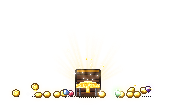
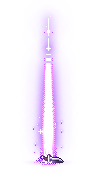
Coin-spin, gem-spin, heart-pickup and chest-open establish familiar reward objects. Key-glint and loot-beam can draw attention before the player arrives. Collect-burst suits the instant of collection, while xp-orb gives experience rewards their own visible shape.
Choose a persistent cue and a short confirmation that work together. A bright chest opening does not need the same emphasis as every small coin. Compare their silhouettes at the actual game scale so several rewards on screen remain distinguishable.
Build a readable pickup event
Export coin-spin and collect-burst separately at native timing. Keep the coin visible while it is available, then remove it and play the burst at the pickup position when your game confirms collection. Let the one-shot finish before freeing its display node.
Try one palette for ordinary loot and another for rare items in Sprite Maker. Test both on the floor art and near the HUD. The animation export supplies appearance and timing, while inventory changes and reward values remain part of your game logic.