SpriteVFX
Make machine states legible
Use a quiet idle animation, a visible charging phase and a concise activation response. A scanner or hologram can support the idle state, while an EMP blast or projectile marks an event. Check the effect over the actual prop art so the core remains visible and the silhouette does not imply the wrong direction.
Treat travel and screen changes separately
A projectile belongs to the world’s movement system. A full-screen transition belongs to the camera or interface. Even when both use a matching palette, they need different placement and scaling rules. Composite move effects can supply a finished visual sequence, but their luminance-based recoloring should be checked across all stages before approving a batch.
Separate powered objects from a short discharge
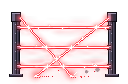
Energy-core and force-field establish a persistent powered state. Hologram, laser-grid and teleporter-pad suggest interactive machinery or an active boundary. Scanner can signal a search cycle, tractor-beam a directed pull, and emp-blast a short disruption.
Pick effects that communicate distinct states on the same palette. A standing field should be recognizable before an EMP flash arrives. Compare opacity and screen coverage near characters so the visual energy does not hide the objects it is supposed to explain.
Prototype an energy terminal
Export energy-core as a looping transparent sheet and emp-blast as a separate one-shot. Place the core at the terminal origin, trigger the blast on the game event, and test the transition at native FPS before changing playback speed.
Use Sprite Maker to produce a second color variant for an opposing faction. If you batch the selected effects with Pro, keep their native timing and inspect every exported directory. Add collision areas, interaction prompts and gameplay state changes in your engine.