SpriteVFX
Choose the emitter before the animation
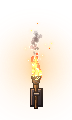
A candle, wall torch and open campfire occupy different amounts of space. Match the flame to the prop and inspect the moving base. If the flame shifts too far across the object, change the attachment offset or choose another source rather than enlarging the whole effect to hide the mismatch.
Avoid an identical row of flames
Vary the starting phase of repeated instances in the engine. Keep the source files consistent, then use placement, timing and restrained palette variations to prevent visible repetition. Nature accents can frame the scene, but a poison cloud or healing bloom should not be used as neutral decoration if its shape suggests an active gameplay event.
Separate steady light from moving and temporary light
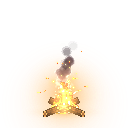
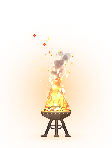
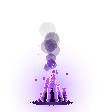
Campfire, torch, brazier and candle are the four grounded fire sources in this selection. Spirit-flame and shadow-flames provide supernatural looping alternatives, while wisp adds a moving creature-like flame. Match their color and position to the scene before deciding which loop belongs near a doorway or path.
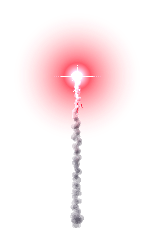
Flare is a one-shot signal light. Use it for a temporary reveal or a marked location, then let it finish. Its smoke and bright peak need a different timing budget from a candle. The selection distinguishes permanent fixtures, moving lights and a brief signal.
Build a campfire corner
Export campfire as a transparent sheet at native timing, import it beside the logs or floor contact point, and watch several complete loops. Put the player and nearby props in the test scene so you can judge whether the flame hides useful silhouettes.
Make a second palette variant in Sprite Maker for a magical room, then compare it with spirit-flame. The exported sprites provide visible pixels. Any engine light node, collision, heat damage or sound should be configured in your game.